


The verdict · Ring Alarm Security System
Ring Alarm has kept every sensor connected, was easy to install myself, and costs less than my previous ADT setups. A storm-night alert showed me the system works when I need it. Video recording, professional monitoring, and full backup still require a monthly plan.
What works
- DIY setup took less than an hour with no install fee
- Sensors, cameras, and floodlights can be added later
- The base station includes a battery backup and siren
- The alarm and all my Ring cameras share one app
- Month-to-month plans cost no more than $20 per month
What doesn't
- Recording and professional monitoring require Ring Protect
- Cameras and the doorbell can't trigger the alarm
- Cellular backup during Wi-Fi outages requires the Pro plan
Ring Alarm Security System — key specs
| Starter kit | 8-piece: base station, keypad, contact sensors, motion detector, range extender |
|---|---|
| Kit price | $249 (8-piece); ~$329 for 14-piece; refurbs from ~$215 |
| Install | DIY, under an hour; adhesive mounting with no drilling or wiring |
| Monitoring | Optional 24/7 professional monitoring with Pro ($20 per month) |
| Backup | Base station battery backup; cellular + internet backup on Pro |
| Expandability | Add-on sensors, cameras, doorbells, smoke/CO listener, flood sensor |
| Contract | None; plans are month to month and can be canceled or downgraded |
On this page
I wanted an alarm without a long contract, an installation appointment, or another large monthly bill. Ring Alarm checked those boxes. I installed it myself in about 30 minutes, and the top Protect plan costs $20 per month.


As a new homeowner, I compared national installers such as ADT with local security companies. Most options I considered involved setup fees, appointments, or multi-year commitments. Ring sold the equipment outright and let me place the contact sensors and motion detector myself. I already had Ring cameras watching the outside of the house.
I've now used Ring as my home alarm for more than a year after living in two homes with ADT. Ring works better for me because I can change the equipment and monitoring level myself. If you'd rather have a provider handle the whole setup, a professionally installed system still has an advantage.
Ring charges for video recording and professional monitoring. The plans are month to month, though, and the highest tier costs $20 per month. I can downgrade without replacing the hardware.
I already had Ring's video doorbell when I learned the company made a full alarm. After a year of arming it each night, adding sensors, and relying on it while traveling, I trust it. My complaints mostly come down to subscription costs and the fact that camera events can't trigger the alarm.
What a Year of Daily Use Looked Like
I bought Ring Alarm, installed it, and used it as my home alarm for more than 12 months. I armed it at night, disarmed it each morning, and added sensors when I found gaps in the initial layout. A storm-triggered alert also showed me how quickly I could figure out what had happened.
Living with ADT in two previous homes gave me something to compare it with. Over the year, I watched for dropped sensors, slow notifications, trouble during a brief power interruption and a Wi-Fi outage, and surprises on the monthly bill.
How the Alarm Fits With Other Ring Devices
My Ring Doorbell, Ring Floodlights, and indoor cameras show up in the same app as the alarm. Cameras and doorbells don't trigger the siren; only alarm sensors can do that. I still like having everything together. If a front-door contact sensor opens, I can jump straight to the nearby camera feed and see what caused it.
I bought Ring Alarm during Black Friday in 2022, soon after moving into the house. I started with the kit and added devices as I learned which areas needed coverage.
One app gets more useful with every Ring device I add. Events share a timeline, camera feeds sit beside sensor status, and linked-device settings can coordinate some actions. It isn't quite as connected as it first looks, though, because camera motion can't set off the alarm.
What Comes in the Starter Kit
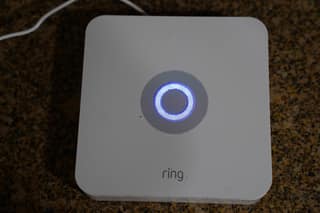
The starter kit gave me the basic pieces of a home alarm:
- A base station that connects the system
- A keypad for arming and disarming near an entry
- Contact sensors for doors and windows
- One or more motion detectors, depending on the kit
- A range extender, included with most kits
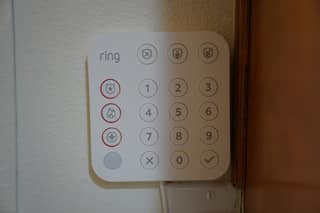
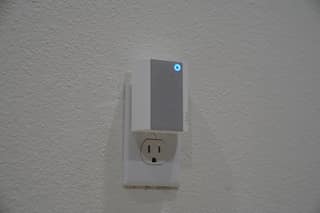
The base station includes the siren and a battery backup, which keeps the alarm running during a power outage. I mounted the keypad near the main door so family members and guests can arm or disarm without using the app.
Optional Add-Ons
I could add more contact and motion sensors, cameras, a smoke and carbon monoxide listener, glass-break sensors, and flood and freeze sensors later. I kept the initial order small because I already had a Ring Doorbell, Floodlight Cam, and other cameras.
Starting with the basic kit made more sense than guessing how many sensors I needed. After a couple of weeks, I found the actual gaps—the garage door and a room outside the motion detector's view—and bought only the add-ons I needed.
Setup
My initial setup took less than 30 minutes, including time spent checking sensor placement. I plugged in the base station and keypad, then followed the app's instructions.
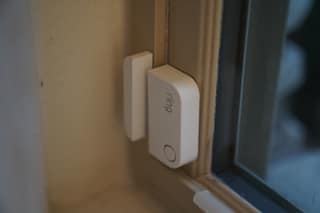
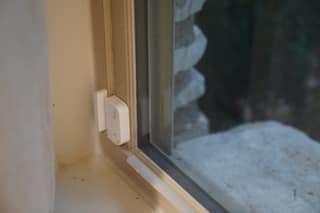
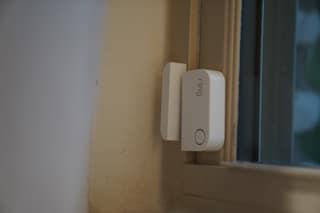
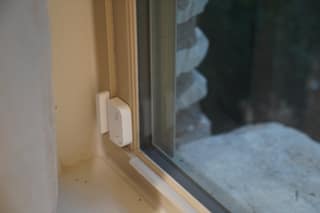
Each sensor pairs in the app before mounting. The included adhesive backing held the sensors in place, so I didn't need to drill or run wires.
Placement lesson: Mount a contact sensor away from the hinge and align its small magnet on the moving part of the door. The two pieces should separate as soon as the door opens. My first sensor sat too close to the hinge, where the gap changed too little for dependable detection.
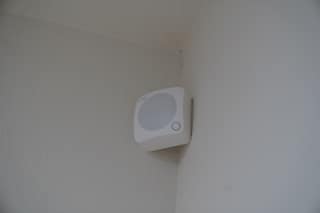
I placed the motion detector high in a corner facing the area I wanted to cover. That position widens its view and helps keep floor-level pet movement outside the most sensitive part of the frame.
Sensor Reliability After One Year
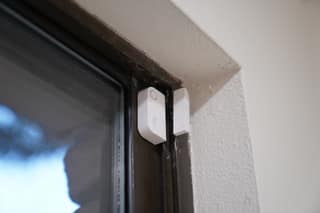
During 12 months of daily use, none of my sensors randomly dropped offline. Phone notifications arrived quickly at home and while I was two states away. The few false alarms I had came from my placement or mistakes, not a sensor reporting an event that never happened.
The Storm Alert
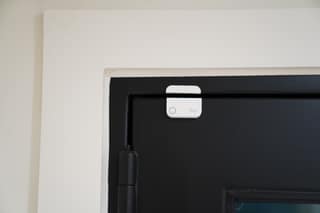
We didn't have a break-in that year. The alarm that sticks with me happened during a severe storm, when wind pushed open a front door I'd forgotten to lock. Its contact sensor tripped immediately, and the Ring Chimes were loud enough to wake me in the bedroom.
I disarmed the system from my phone and opened footage from the Ring Doorbell and Floodlight Cam. The cameras didn't trigger the alarm, but their feeds let me confirm that the wind had opened the door and no person was outside. That was the moment I was glad all the devices lived in one app.
Equipment Cost
I paid $249 on Amazon for the eight-piece Ring Alarm kit. The 14-piece kit costs around $329 and includes more sensors, while a refurbished eight-piece kit starts around $215. For my small-to-midsize house, the eight-piece version covered enough entry points to get started. I bought more sensors later.
Depending on your house, you may also end up adding:
- Ring Cameras
- Ring Video Doorbell
- Ring Floodlights
- Ring Chime
- Ring Smoke + CO Listener
- Ring Glass Break sensor
- Ring Flood & Freeze sensor
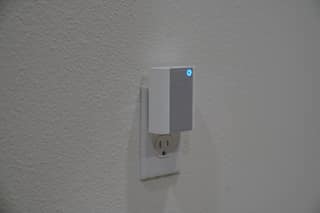
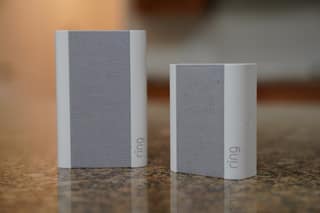
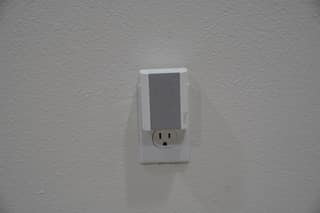
I'd add a Ring Chime early if the base station is far from bedrooms or common areas. It plugs into an outlet and repeats alerts through the house. The Chimes woke me quickly when the storm opened my front door.
Adding Equipment Later
The starter kit doesn't lock you into a fixed sensor count. I added door, window, and motion sensors after finding uncovered areas.
Cameras, doorbells, and floodlights can also be added through the same app. I spread those purchases over time instead of paying for a large package on installation day. I preferred that freedom to the fixed packages I was offered elsewhere.
Using the Ring App
From one screen in the Ring app, I can see camera feeds, the state of each alarm sensor, motion history, and the controls for arming or disarming. I don't have to jump between separate smart-home apps.
Alarm notifications reached my phone within seconds. The siren sounds immediately unless an entry delay is active in Away mode, which gives you time to disarm at the keypad. With Pro, the professional monitoring service also responded to alarm events. The app stayed responsive all year. That's also one of the things I liked about my Clear UV pool robot.
Ring Protect Plans
You need a Ring Protect subscription for video recording and professional monitoring. The plans run month to month instead of locking you into a multi-year contract, but the recurring cost still belongs in the budget. The choices are Basic, Plus, and Pro.
Basic: $4.99/month
Basic saves video from one Ring Doorbell or camera and includes the essential digital alarm features. It works for one camera but gets limiting once you have a full alarm and several cameras.
Plus: $10/month
Plus covers recorded video and notifications for every Ring Doorbell and camera at one address. It also includes full online alarm access, Live View Picture-in-Picture, Multi-Cam Live View, and enhanced notifications. I'd choose this tier for several cameras if I didn't need professional monitoring.
Pro: $20/month
Pro adds 24/7 professional monitoring. If an alarm sounds while I can't respond, the monitoring center can handle the event and dispatch help. The plan also includes Alarm Cellular Backup, 24/7 Backup Internet, Ring Edge local video storage, and everything in the lower tiers.
| Plan | Price | Best for |
|---|---|---|
| Basic | $4.99/mo | A single Ring doorbell or camera |
| Plus | $10/mo | Every doorbell & camera, plus full alarm access |
| Pro | $20/mo | 24/7 professional monitoring, cellular & internet backup |
I chose Pro because I travel often enough to value professional monitoring and backup connectivity. For me, they're worth the extra $10 over Plus.
Ring Alarm Compared With My ADT Experience
Ring cost me less and gave me more control than the ADT systems I'd used. When I was shopping, ADT told me I'd need a contract and setup fee. Ring let me buy the hardware outright, install it, and choose a monthly plan afterward.
The ADT equipment in my previous homes handled basic alarm duties without a problem, but we never added cameras. I preferred Ring's camera-focused app and the ability to expand the system myself. If you want professional installation and don't want to choose or place sensors, you may still prefer ADT despite the higher cost and contract requirements I was quoted.
Daily Use
The alarm did what I needed throughout the year. Months after the initial installation, I added indoor cameras and another spotlight without replacing the base system.
The app's layout made it easy to check sensors and camera feeds while traveling. I also appreciate that the hardware isn't tied to the house; I plan to take the system with me when I move next month.
Drawbacks
The subscription is the biggest drawback. Plans currently top out at $20 per month, and I can downgrade whenever I want, but subscriptions have a way of getting more expensive. That's what I'd watch. Cameras and doorbells also can't trigger the alarm, even though they share its app. During a Wi-Fi outage, remote access depends on cellular backup, which comes only with Pro.
My Verdict After One Year
I'd recommend Ring Alarm if you want to install and expand a home security system without signing a long contract. My setup took less than an hour, no sensors dropped during a year of daily use, and the storm alert reached me when it mattered.
Skip it if you want an installer to plan everything or expect the cameras to trigger the siren. The strongest outage protection and professional monitoring also require the $20 Pro plan. Those tradeoffs worked for my home, and I'd buy the system again.
Where to Buy
I bought the system on Amazon. Before ordering, count the doors, windows, and rooms you want to cover, then compare the eight- and 14-piece kits. The retailer's return policy also gives you time to check sensor placement in your own home.


